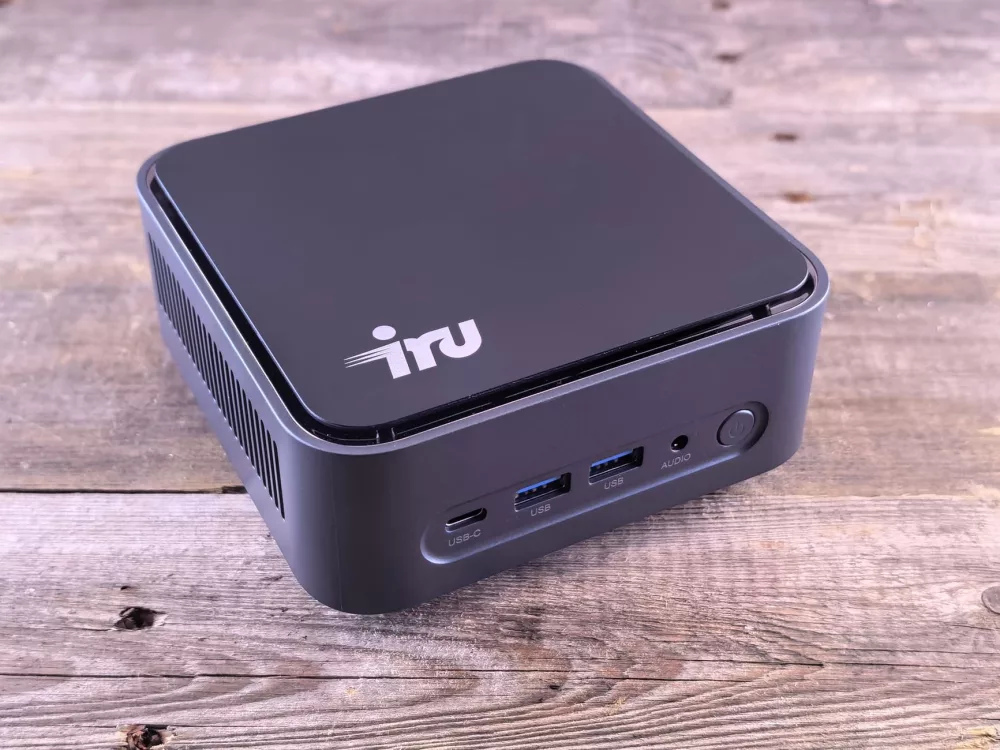
What Exactly is a Barebone PC? My First Encounter!
So, you've heard the term 'barebone PC' floating around, right? Maybe you're a tech enthusiast, or perhaps you're just looking for a more cost-effective way to get a new computer. Well, let me tell you, barebone PCs are pretty fascinating, and they offer a really cool middle ground between buying a fully pre-built system and assembling every single component from scratch. When I first stumbled upon them, I was genuinely intrigued by the flexibility they promised.
Think of a barebone PC kit as a partially assembled computer. It's not a complete, ready-to-go machine, but it’s much more than just a case. Typically, a barebone system comes with the chassis (that's the case, folks!), a motherboard already installed, and often a power supply unit (PSU) pre-fitted. Sometimes, you'll even get a basic CPU cooler. What you won't find included are the core components that truly define performance and storage: the central processing unit (CPU), RAM (random access memory), and storage drives like an SSD or HDD. Dedicated graphics cards are usually missing too, unless it's a very specialized kit.
Why Would Anyone Choose a Barebone System?
That's a fair question, and one I often hear! For me, the answer boils down to a few compelling reasons:
- Customization Freedom: This is a big one. You get to pick the exact CPU, RAM, and storage that fit your needs and budget. Want a super-fast NVMe SSD for your operating system and a massive hard drive for your games and media? Go for it! Need 32GB of RAM for video editing? No problem. This level of control is something you just don't get with most off-the-shelf systems.
- Cost-Effectiveness: While it might not always be cheaper than the absolute cheapest pre-built desktops, barebones often offer better value. You avoid paying for parts you don't want or need, and you can shop for deals on individual components. I've found that for a given performance level, I can usually build a more robust system this way.
- Space-Saving Designs: Many barebone kits specialize in small form factors (SFF). We're talking tiny boxes that can sit unobtrusively on a desk, tuck behind a monitor, or even fit into your entertainment center as a home theater PC (HTPC). I love how little space they take up!
- Pre-Tested Compatibility: This is a huge benefit for those who are a bit intimidated by a full build. The most challenging compatibility issues – matching the motherboard to the case and power supply – are already handled for you. It simplifies the building process significantly.
- A Great Learning Experience: If you're keen to understand how a PC works without being overwhelmed, building a barebone system is an excellent stepping stone. You get hands-on experience installing crucial components.
What Components Do You Need to Add? Let's Break It Down.
Okay, so you've got your barebone kit. What's next? You'll need to acquire a few more pieces of hardware to get this thing up and running. This is where your personal preferences and budget really come into play.
The Essentials:
- CPU (Central Processing Unit): This is the brain of your computer. The barebone kit's motherboard will dictate which CPUs are compatible (e.g., Intel LGA 1200, AMD AM4). Make sure you pick one that matches!
- RAM (Random Access Memory): Your system's short-term memory. Most barebones use laptop-style SO-DIMM RAM, especially the smaller ones. Check the motherboard's specifications for the correct type (DDR4, DDR5) and maximum capacity.
- Storage Drive(s): You'll definitely need an SSD (Solid State Drive) for your operating system and applications; it makes a world of difference in speed. Many barebones support NVMe M.2 SSDs, which are incredibly fast and tiny. Some also have space for a 2.5-inch SATA SSD or HDD for bulk storage.
- Operating System: Don't forget Windows, Linux, or whatever OS you prefer! You'll need a bootable USB drive to install it.
Optional, But Often Necessary:
- Dedicated Graphics Card (GPU): If you're planning on gaming, video editing, or other graphically intensive tasks, you'll want a dedicated GPU. However, many small barebone kits don't have space for one, or they rely on integrated graphics from the CPU. Always check the case dimensions and PCIe slot availability.
- CPU Cooler: While some barebones include a basic cooler, especially for smaller CPUs, you might want to upgrade it for better performance or quieter operation, particularly if you're installing a higher-wattage CPU.
- Wi-Fi/Bluetooth Module: Some barebones come with these pre-installed, but others might require you to add a M.2 Wi-Fi card.
Who Are Barebone PCs For? Could It Be You?
I find that barebone PCs appeal to a really diverse group of people. If any of these scenarios sound familiar, a barebone system might be a fantastic fit for you:
- The Savvy DIY Enthusiast: You enjoy the process of building and customizing, but appreciate a head start.
- The Budget-Conscious Builder: You want to maximize your dollar by carefully selecting each component and avoiding pre-built markups.
- The Small Business Owner: Need multiple office PCs that are reliable, compact, and easy to maintain? Barebones can be a great standardized solution.
- The Home Theater PC (HTPC) Seeker: Compact size, quiet operation, and enough power to stream 4K content are hallmarks of many barebone kits, making them perfect for your living room.
- The Space Saver: If you live in a small apartment or just want a clean, minimalist desk setup, an SFF barebone is a dream come true.
Choosing Your Perfect Barebone: My Top Tips
Picking the right barebone isn't too complicated, but there are a few key things I always consider before making a purchase:
- Form Factor is King: How small do you need it to be? Mini-ITX is super compact, while Micro-ATX offers a bit more expansion.
- CPU Socket & Chipset: This determines which processors you can use. Do your research! An Intel-based barebone won't take an AMD CPU, and vice-versa.
- Expansion Slots: Do you need a PCIe slot for a dedicated GPU or other expansion card? How many M.2 slots are there for storage?
- Connectivity: Look at the number and type of USB ports, video outputs (HDMI, DisplayPort), Ethernet, and whether it includes Wi-Fi and Bluetooth.
- Power Supply Wattage: Make sure the included PSU is sufficient for the CPU and any discrete GPU you plan to add.
- Cooling Capabilities: Smaller cases mean less airflow. Check if there's room for a beefier CPU cooler if you're planning on using a high-performance chip.
Building one of these isn't nearly as scary as a full custom PC. It's truly a simplified process. You'll typically start by installing your chosen CPU onto the motherboard (if it's not already pre-installed, which is rare these days). After that, slotting in the RAM modules is usually a snap. Then, you'll secure your NVMe SSD into its M.2 slot or mount a 2.5-inch drive in its bay. If your barebone supports a dedicated graphics card and you need one, that goes into the PCIe slot. Finally, it's a matter of connecting a few power and data cables, closing up the case, and you're good to go for the operating system installation. I've done it many times, and it's quite satisfying!
Barebone PCs truly represent a sweet spot in the world of computing. They empower us to build systems that are perfectly tailored to our needs, without the overwhelming complexity of a full scratch build or the compromises of a generic off-the-shelf unit. If you're looking for flexibility, value, and a fun, hands-on experience, I highly recommend giving a barebone PC some serious consideration. You'll likely end up with a machine that feels uniquely yours and performs exactly how you want it to.